
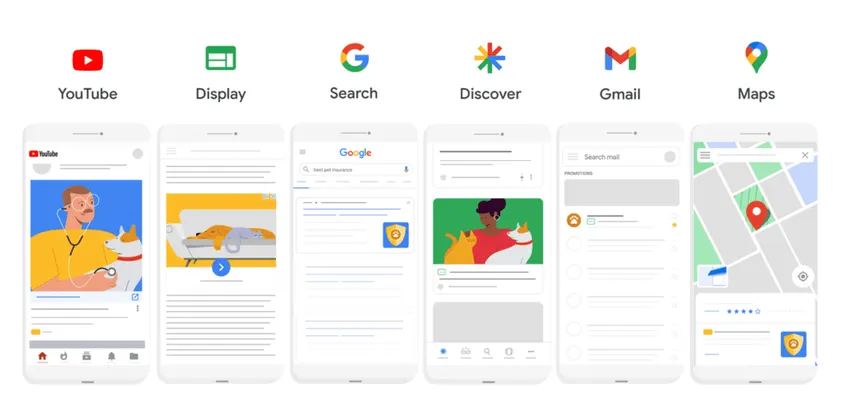
A Performance Max campaign that spends your budget but returns few or no conversions is one of the most frustrating problems in Google Ads. Performance Max uses Google AI to optimise bids and placements across all channels to drive the highest incremental conversion value. When it does not convert, the issue usually lies in your setup, targeting, or data quality. This article walks you through the real reasons your Performance Max campaign is failing and gives you actionable steps to fix it.
Performance Max Not Converting Despite High Click Volume
A high click count with zero or very few conversions points to traffic quality or landing page problems. The table below shows the most common scenarios, their likely causes, and what you can do about each one.
Problem | Likely Cause | Fix |
|---|---|---|
Broad audience expansion | Irrelevant traffic | Tighten audience signals |
Display / YouTube clicks | Low purchase intent | Exclude low-performing placements |
Landing page mismatch | Poor UX | Align page with ad copy |
Low-quality lead forms | Friction | Simplify form fields |
High clicks, no sales | Weak traffic | Refine conversion goals |
If you can see many clicks but no conversions, check your audience expansion settings first. Performance Max often broadens targeting beyond your original signals, bringing in visitors with no real interest in your offer. Apply tighter audience signals and exclude placements that generate irrelevant clicks.
The 4-Point PMax Diagnostic
We call this the Addicted 2 PPC 4-Point PMax Diagnostic. It is a simple decision tree that guides you to the right fix based on what you see in your account.
Zero conversions across the board. Do not change your bidding strategy yet. First, check your conversion tracking. If Google Ads cannot see any conversions, the system has nothing to optimise towards. Verify that your conversion action is firing correctly, test a live conversion yourself and confirm it appears in the reports.
Clicks but no conversions. Audit your landing page and audience signals. Does the page match the promise in your ad? Is the user experience smooth? Review demographic and interest targeting to ensure you are bringing in people who can actually buy or convert.
Conversions dropped suddenly. Look at recent bid strategy changes and the learning phase. Performance Max re-enters a learning phase after any major edit, during which performance may be erratic. If you changed your target CPA or target ROAS, give it time to stabilise, or consider reverting to the previous value.
Spending budget but no leads. Inspect your product feed quality and asset group structure. Poor feed data (missing or wrong attributes) stops Shopping signals from working. Also check that your asset groups are organised logically, mixing unrelated products or services confuses the algorithm.
Follow these four steps in order. Most problems fall into one of these buckets, and each has a clear fix.
When PMax Is the Wrong Tool
Performance Max is not the right choice for every advertiser. If your budget is limited to a few hundred or a few thousand pounds per month, its broad reach can waste spend on unwanted clicks. The system includes Display ads and may reach people who are not actively searching, which behaves much like Broad Match.
For smaller budgets, Search campaigns are usually a better option because they target users with active search intent and often deliver higher conversion rates. This makes it easier to maximise your budget and focus on qualified traffic.
You should also avoid Performance Max if you do not have a specific conversion goal. Google Ads Help states that the campaign type works best when you optimise for clear objectives such as Sales, Leads, or Local Store Visits. If your goal is brand awareness without measurable conversions, Display or Video campaigns are often more suitable.
Another scenario is when you need tight control over where your ads appear. Performance Max automatically optimises across Google’s channels to maximise conversion value rather than giving you channel-by-channel control. As a result, you cannot manually adjust bids or placements for individual channels. If your business requires that level of control, Search and Shopping campaigns remain the better choice.

Understanding PMax System Nuances
Even when your basic setup looks correct, several system-level factors can stop Performance Max from converting.
Feed quality and Shopping signals. If you run an ecommerce business, your product feed is the backbone of Shopping traffic. Missing unique identifiers, incorrect prices, or incomplete descriptions weaken the signals that Performance Max uses to match users with products. Audit your feed regularly using the diagnostics tab in Merchant Centre. Bad feed data directly hurts conversion rates.
Asset group structure. Asset groups are the building blocks of a Performance Max campaign. Each group should contain tightly themed assets, headlines, images, videos, and descriptions, that work together to tell a single story. If you lump all your products into one asset group, the algorithm cannot tailor the message to different user intents. Create separate asset groups for different product categories or customer segments.
Brand traffic cannibalisation. Performance Max can serve your ads to people searching for your brand name. This seems helpful, but if your brand terms already convert well in other campaigns, you are essentially paying for traffic you could get for free (or at a lower cost) in a dedicated brand campaign. Use the exclusions within Performance Max to separate brand and non-brand traffic, especially if you run a separate brand campaign.
Conversion lag versus learning phase. Conversions in Performance Max do not always show up immediately. Some users click an ad and convert days later. This conversion lag can make it look like the campaign is failing when it is actually working. The learning phase adds further confusion: during this period, Google explores different placements and may appear unstable. Do not judge performance until the campaign has been running for two to three weeks with consistent spend.
GA4 versus Google Ads attribution mismatch. Your Google Analytics 4 (GA4) reports may show different conversion numbers than your Google Ads account. This is normal because each platform uses a different attribution model and may count conversions differently. Always use Google Ads conversion reporting as your source of truth when evaluating Performance Max performance. If you see a big gap, check whether your GA4 configuration uses last-click, data-driven, or model-time attribution.

Frequently Asked Questions
Why is my Performance Max campaign getting clicks but no sales?
The most common cause is irrelevant traffic. Performance Max expands your audience beyond your original signals, bringing in users who are not ready to buy. Also check your landing page, if it does not match your ad or is slow to load, visitors will bounce without converting.
How long should I wait before deciding Performance Max is not working?
Give the campaign at least three weeks of consistent daily spend before making major changes. The learning phase and conversion lag mean you cannot rely on the first week of data. After three weeks, if you still see no conversions, follow the 4-Point PMax Diagnostic above.
Should I change my bidding strategy to fix poor conversions?
Tweaking bid targets can help if your ads are not winning auctions or if your target CPA is too low to compete. Some advertisers switch to Target impression share instead of Max Conversions or Max Conversion Value. However, check conversion tracking first, changing bids cannot fix a broken tracking setup.
Can I run Performance Max with a small budget?
Performance Max works best with a budget large enough to gather conversion data across all channels. If you have only a few hundred pounds per month, you are better off with a Search campaign that targets active searchers. Small budgets often get wasted on low-intent Display clicks in PMax.
How do I stop Performance Max from wasting spend on my brand name?
Use the brand exclusions in your Performance Max settings if you run a separate brand campaign. If you do not have a dedicated brand campaign, consider creating one to capture those searchers at a lower cost. Alternatively, add your brand name as a negative keyword in the campaign if the option is available.